
Introduction
This tool, built with Google Sheets and Google Apps Script, enables rapid creation of Google Survey Forms. Whether you’re a teacher, a surveyor, or someone whose job requires frequent form creation, this tool can be highly beneficial. It’s user-friendly and available for a one-time fee, offering lifetime access without any subscriptions or monthly payments.
Questions Types in Google Forms
As per your request we can also modify the tool in case you require any other question type
- Short Answer
- Long Answer
- Multiple Choice
- Check Box
- Drop Down
- Date
- Time
- Multiple Choice Grid
Watch on YouTube
Buy Now
How to Authenticate the Tool
After payment, you will be provided view access to the Google Sheet (Tool)
Create a copy of your own
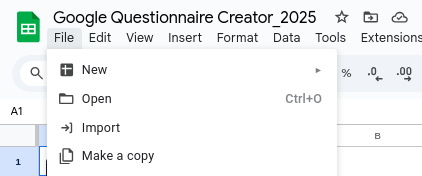
Then, click on the blue button

Now, you have to authenticate the tool by following below steps, click on OK

Select your email address

Click on Advanced

Click on “Go to Create Google Form Questionnaire (unsafe)”
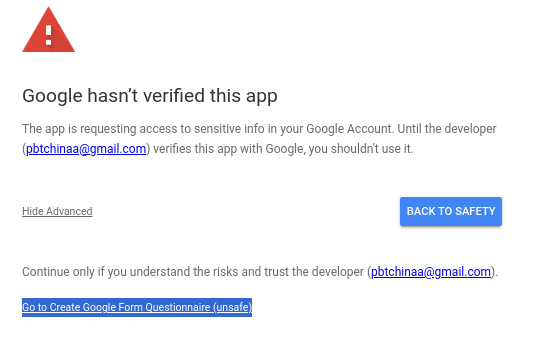
Scroll down and click on “Allow”
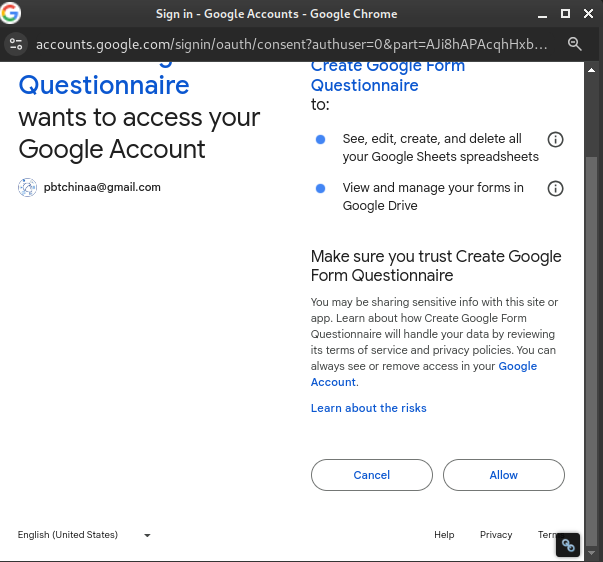
Now, with the this your tool has been authenticated.
How to Use the Tool
Write your questions in column A , select question type in column B and in column C enter the values you want for your questions as below
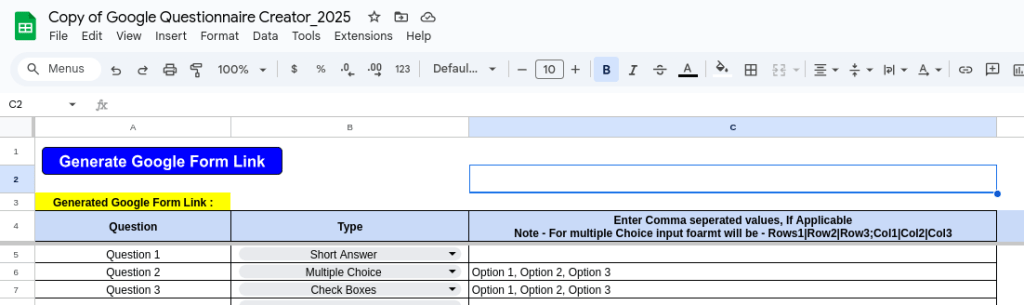
Now, click on the blue button – “Generate Google Form Link”
After script execution a Google Form Link will be generated in cell B3
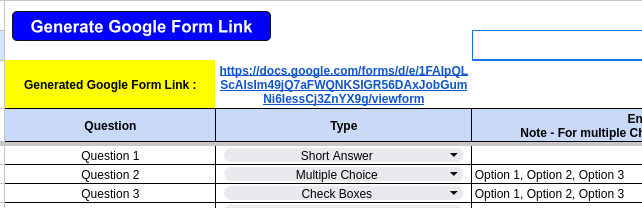
Your Google Survey Link is generated
